.png?width=350&height=78&name=Black-on-Transparent_GlassHouse-Logo%20(1).png)
DripJobs is designed to help automate follow-ups and your workflow. One way to streamline this process is to avoid having to manually enter lead information. In this help article, we're going to discuss how to automatically send your leads to DripJobs by way of our Zapier Integration.
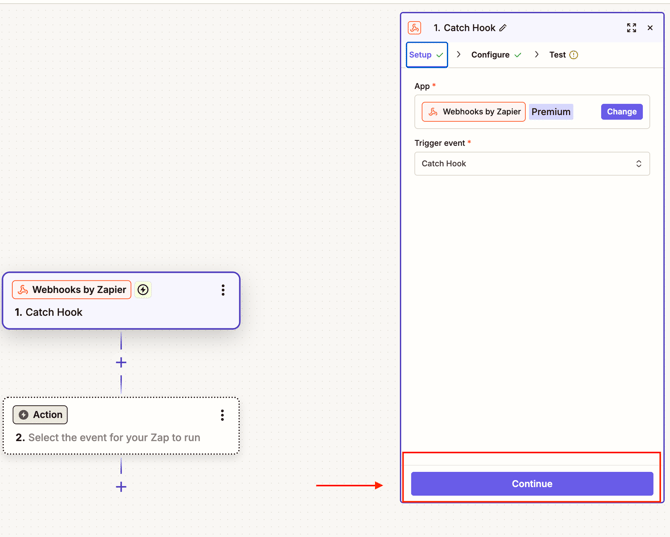
Remember: You must have a Zapier PRO account in order to integrate leads.Step 1: Select Webhook for the Trigger.

Step 2: Select the trigger event: catch hook.

Step 3: Click 'continue' until you reach the test page.
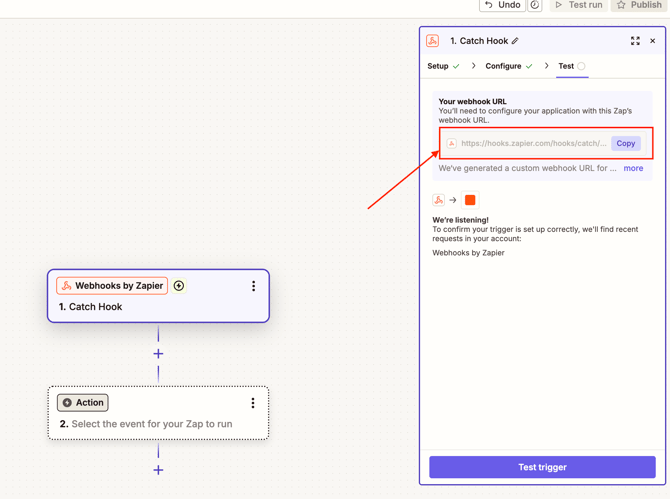
Step 4: Copy the webhook URL.
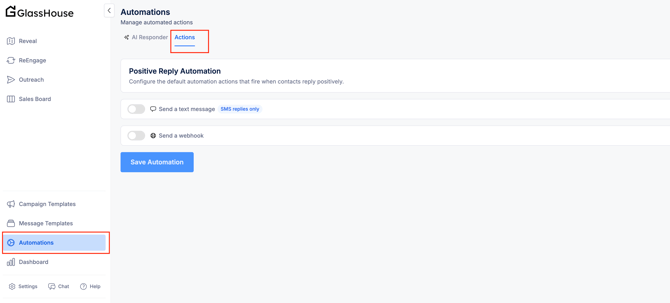
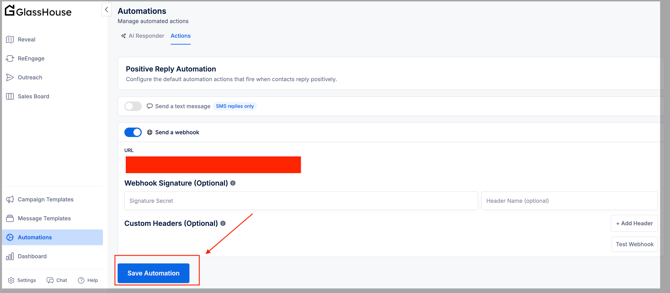
Step 5: Navigate to GlassHouse & the actions section of automations.
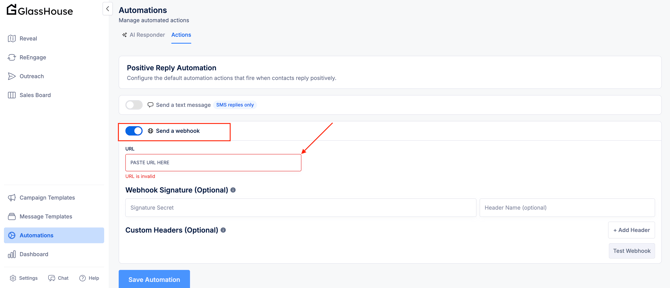
Step 6: Toggle 'Send a webhook' on & paste your webhook URL.
Step 7: Save the automation in GlassHouse.
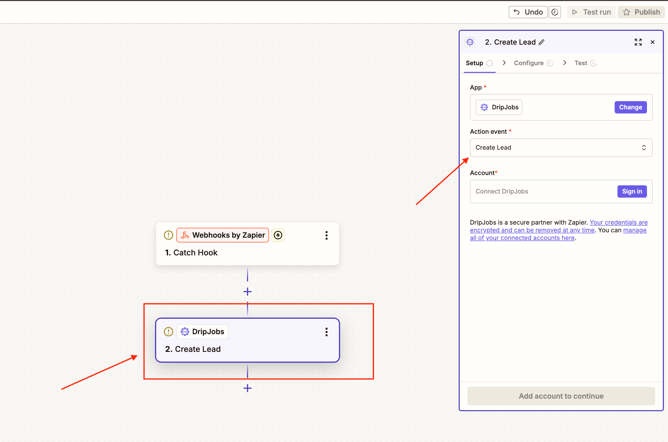
Step 8: Next, select 'DripJobs' as your action app & 'Create Lead ' as your action event.
Step 9: Connect your DripJobs account by clicking 'Sign In.' Then, copy & paste your unique Zapier API Code found in the "Settings - Integrations" Tab of your DripJobs account.


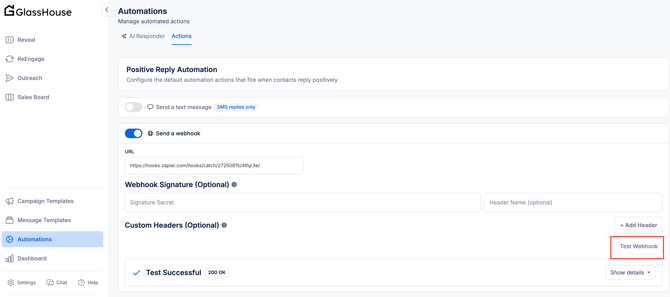
Step 10: In GlassHouse automations, select “Test Webhook.” A “Test Successful” box will appear if the test lead was sent through the webhook successfully.
Step 11: In Zapier, click the Catch Hook trigger and test the trigger to confirm the test record from GlassHouse was pulled in successfully. If successful, a test record will appear. Click “Continue with selected record.”
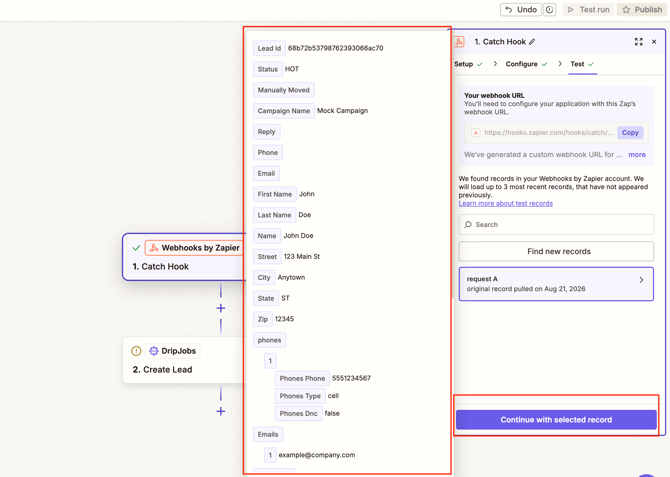
Step 12: Configure the action — click the + button and use the test record data sent from GlassHouse to map each field to the corresponding DripJobs field.


Step 13: Hit "Test & Continue" to test sending the lead to DripJobs.

Step 14: Visit the Deals Dashboard of your DripJobs account and confirm the new lead has been added to the "New Leads" stage.
Important: If you have a drip to be sent "Immediately" for Deals created in the New Lead Stage, this lead will receive it.

Step 15: If the lead looks correct in DripJobs, turn your zap on by publishing it.
