.png?width=350&height=78&name=Black-on-Transparent_GlassHouse-Logo%20(1).png)
💡 What It Is
When you drop a scheduling link into an outreach message, GlassHouse automatically decides the best way to show it to your prospect on the landing page.
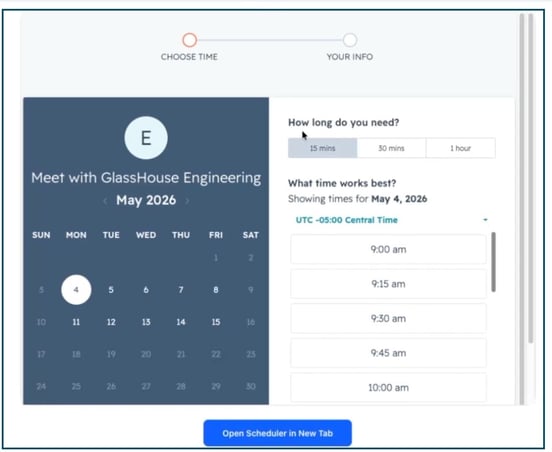
For supported providers, the scheduler is embedded inline — your prospect sees the live calendar and can pick a time right there on the page, no extra clicks required.
For every other provider, GlassHouse displays a clean “Book Appointment” button that opens the scheduling page full-width in a new tab.
Either way, your prospect gets a smooth path to booking — you just plug in your link.
🎯 Why You Want to Use It
- Reduce friction: Inline scheduling lets prospects choose a time without ever leaving your landing page.
- Higher booking rates: Fewer clicks between “interested” and “on the calendar” means more meetings booked.
- Use the tools you already have: Bring your own scheduler — there’s nothing new to set up on your end.
- Works everywhere: Inline embeds and the Book Appointment button both render cleanly on desktop and mobile.
- Calendly
- Acuity Scheduling (including Squarespace Scheduling)
- HubSpot Meetings
- Cal.com
- SavvyCal
- TidyCal
- Zoom
- Google Calendar
- Microsoft Bookings
- Any other provider not listed in the inline-supported list above
- If it’s one of the supported schedulers above → the calendar is embedded inline on the landing page.
- If it’s any other provider → a “Book Appointment” button is shown instead, opening the page in a new tab.
✅ Schedulers That Embed Inline
These providers have verified support for embedding their booking pages directly inline:
💡 Pro Tip: If you use one of these, your prospect will see the live calendar embedded right on the landing page — like the HubSpot example below.
What the inline embed looks like (HubSpot Meetings):
🔗 Other Schedulers (Book Appointment Button)
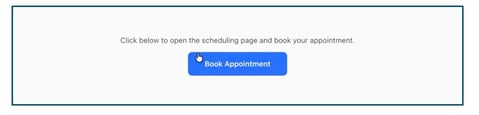
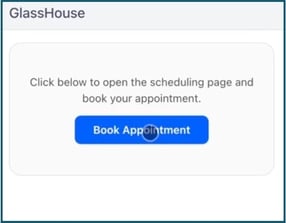
Links from providers without verified inline support will display as a “Book Appointment” button that opens the scheduling page full-width in a new tab. This includes:
The button works exactly as expected — your prospect clicks it and lands on the full scheduling page in a fresh tab.
What the Book Appointment button looks like — desktop:
…and on mobile:
⚙️ How It Works
- Add your scheduling link to your outreach message as you normally would (for example, your Calendly or HubSpot Meetings URL).
- GlassHouse checks the provider.
- Your prospect books. They either pick a time inline or click through to your full scheduling page — whichever applies to your provider.
That’s it. There’s no toggle to flip or setting to configure — GlassHouse handles the display automatically based on the link you use.
🎯 See It In Action
The screenshot below shows the full flow inside the AI Responder demo: the agent shares a booking link, and the supported (HubSpot) scheduler renders inline on the landing page preview.
.jpg?width=670&height=324&name=04-hubspot-inline-responder-demo%20(3).jpg)
🙋 FAQs
|
Question |
Answer |
|
Which scheduling providers embed inline? |
Calendly, Acuity (including Squarespace Scheduling), HubSpot Meetings, Cal.com, SavvyCal, and TidyCal. |
|
What happens if my provider isn’t on the list? |
Your link displays as a “Book Appointment” button that opens the scheduling page full-width in a new tab. It still works perfectly — it just won’t embed inline. |
|
Do I need to set anything up? |
No. Just add your scheduling link to your message. GlassHouse automatically detects the provider and chooses the right display. |
|
Why isn’t Zoom, Google Calendar, or Microsoft Bookings embedded inline? |
These providers don’t have verified inline-embed support yet, so they default to the “Book Appointment” button. |
|
Does this work on mobile? |
Yes. Both the inline embed and the Book Appointment button render cleanly on desktop and mobile. |
|
Will more providers be added? |
We’re expanding verified inline support over time. If there’s a scheduler you’d like to see added, let us know. |