.png?width=350&height=78&name=Black-on-Transparent_GlassHouse-Logo%20(1).png)
💡 What This Is & Why It Matters
You can choose which property types to include when revealing in GlassHouse.
This allows you to control your results so you only see properties relevant to your business.
If you’re searching an area and no properties are returned, it may be because the property types in that area are not included in your current selection. Updating your property types can help surface available data.
⚙️ How to Add Property Types
- Navigate to Settings
- Select Company Details
- Select Edit
-
Under Property Types, choose the types of properties you want to include:
- Single Family Residences
- Apartments
- Condos
- Select Save
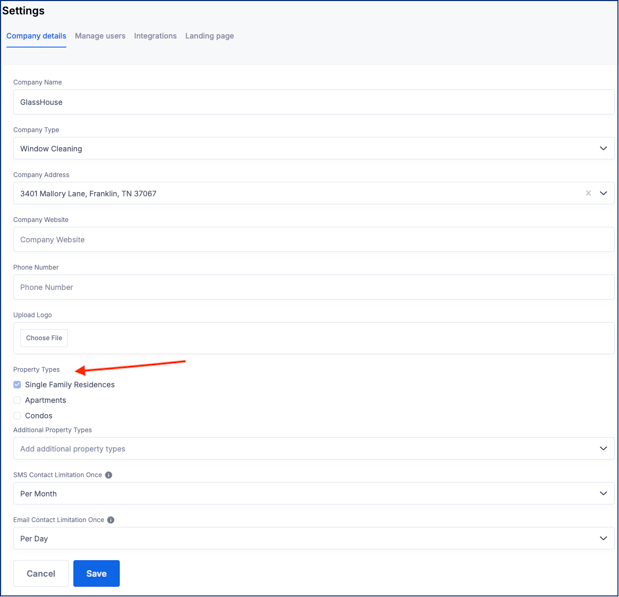
Add Additional Property Types (Optional)
- Click into Add additional property types
- Select any additional property types relevant to your business
- Your selections will apply to future reveals
⚠️ Important Notes
| Item | Details |
|---|---|
| Custom Selection | You control which property types appear in your results |
| No Results | May occur if selected property types are not present in that area |
| Flexibility | You can update selections anytime |
🧠 Pro Tips
- Start with the property types you actively service
- If a search returns no results, expand your property type selection
- Keep selections aligned with your services to avoid irrelevant leads
🙋♀️ Need Help?
If you’ve updated property types and are still not seeing results, reach out to the GlassHouse team and we’ll help take a closer look.